
Record your Mac.
Zoom in on what matters.
Clipzoom records a window or a whole display with your camera in a round bubble. Then click to zoom, cut out the slips and the pauses, and export an MP4 — all on your Mac, with nothing uploaded.
macOS 14+ · Apple silicon & Intel · one-time purchase, no subscription · no account, no uploads
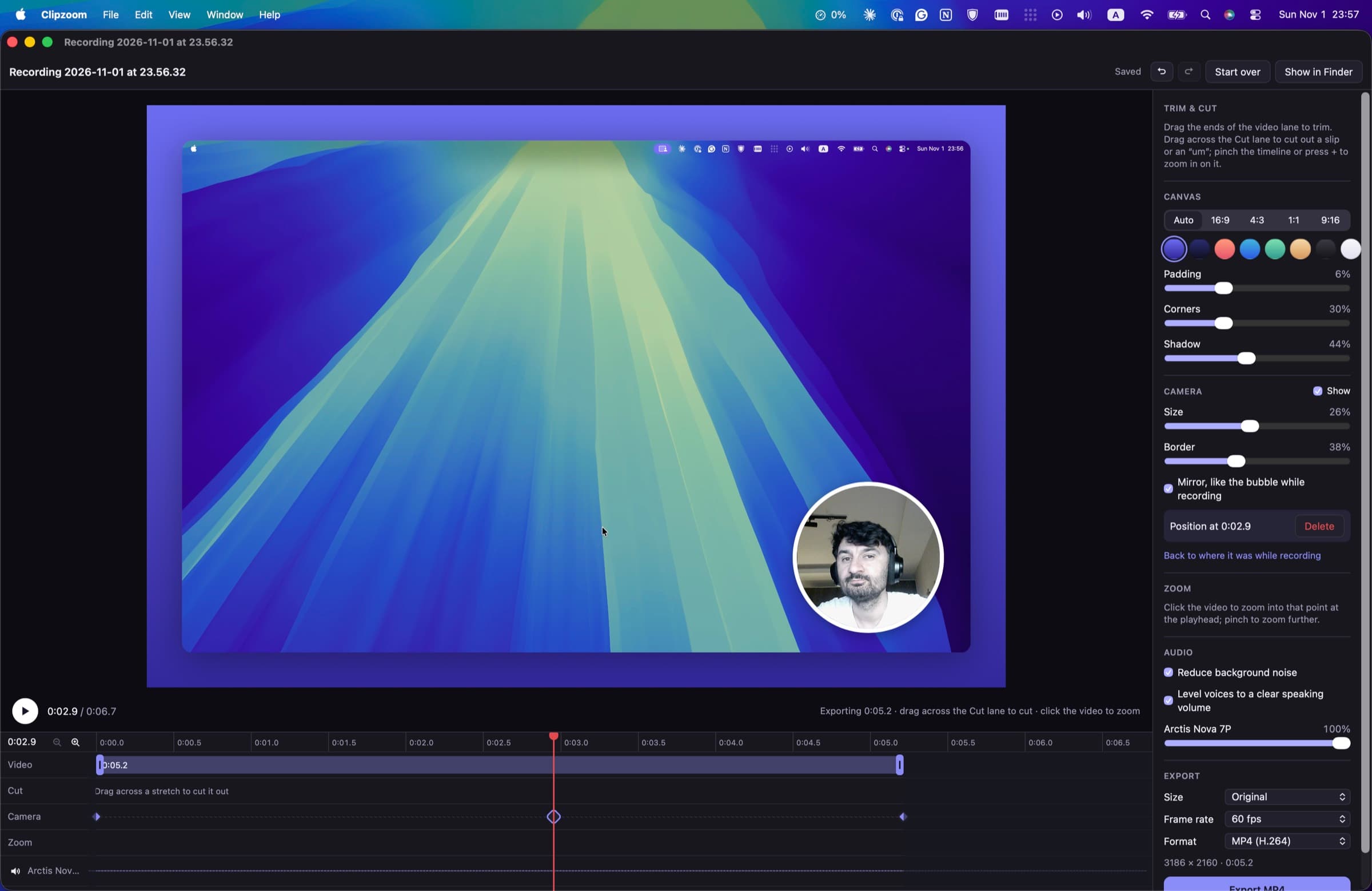
Pick it, press Record, done.
One small window holds the whole recorder. Choose a single window — only it is recorded, whatever moves over it — or a whole display. Add a camera, any number of microphones and your Mac's own sound. Press Record, and the recording opens in the editor the moment you stop.
Each microphone keeps its own track, so you can turn one down in the editor without touching the others.
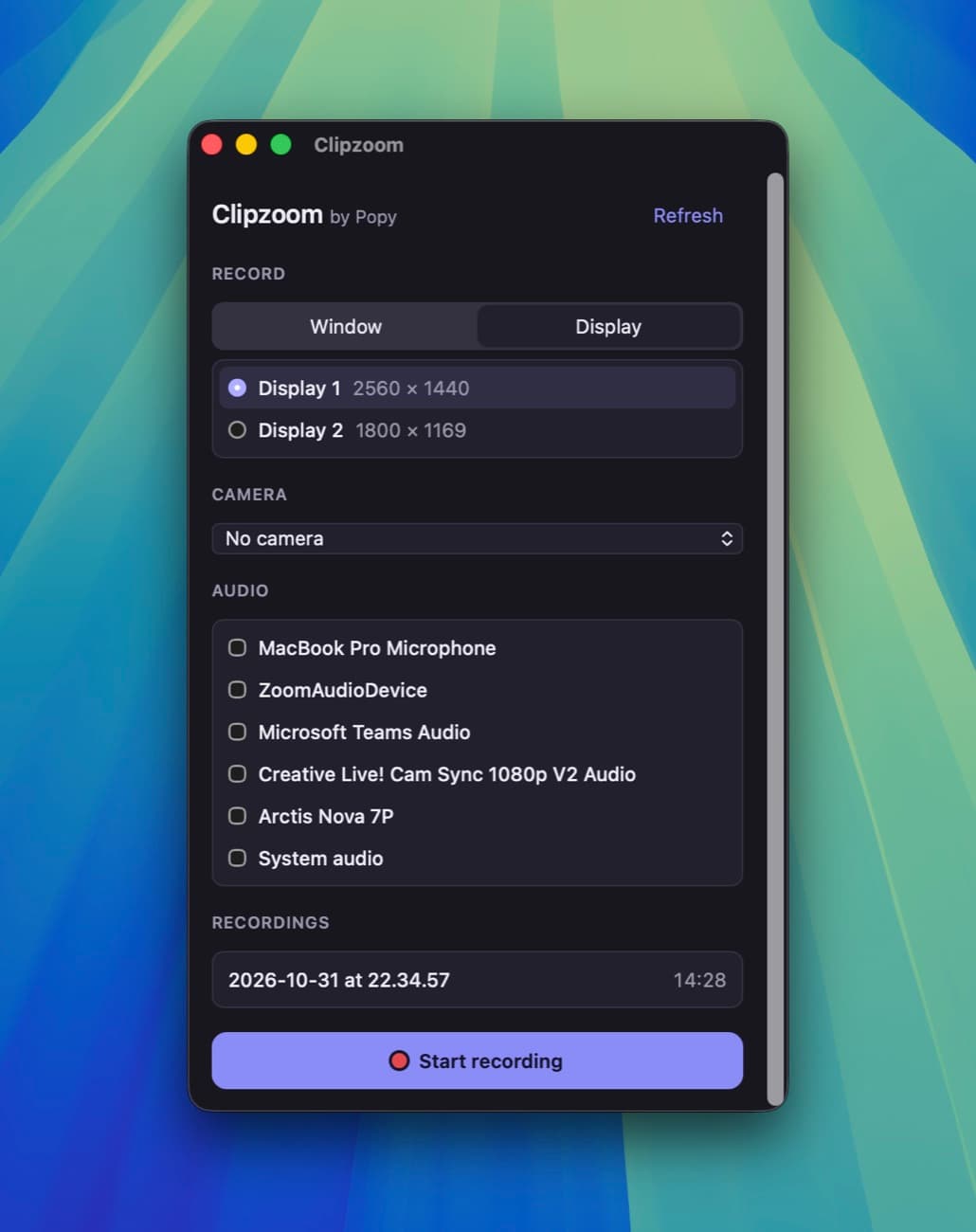
Everything a good screen recording needs. Nothing it doesn't.
Your camera in a bubble
A round bubble you drag anywhere while you record. It is kept as its own track, so in the editor you can still move it, resize it, give it a border, mirror it or hide it — and have it sit somewhere else from one moment to the next.
Click to zoom
Click a point of the video and Clipzoom zooms in there at the playhead; pinch to zoom further. The clicks you made while recording come back as suggested zooms, waiting for you to add the ones you want.
Cut the slips and the pauses
Drag across the cut lane to take out an “um”. Clipzoom finds the pauses in your speech: cut one, or every pause longer than a length you choose, in a single click. Drag the ends to trim.
A voice worth hearing
Background noise reduction and voice levelling bring a quiet laptop mic or a hissing headset up to a clear speaking volume. A microphone that recorded only silence is called out, so a muted headset is caught, not discovered later.
Framed for where it is going
16:9 for YouTube, 9:16 for Shorts and Reels, 1:1 or 4:3 — on a gradient background with padding, rounded corners and a shadow. Export an MP4 in H.264 or the smaller HEVC, at the original size, 1080p or 720p, 30 or 60 fps.
Nothing leaves your Mac
Recording, editing, noise reduction and export all happen on your Mac. No account, no analytics, no network connections. Your recordings are files in Movies/Clipzoom, yours to move, keep or delete.
Record it once. Make it worth watching.
Tutorials, demos, bug reports, walkthroughs for your team. One purchase on the Mac App Store — no subscription, no account, and nothing uploaded.